
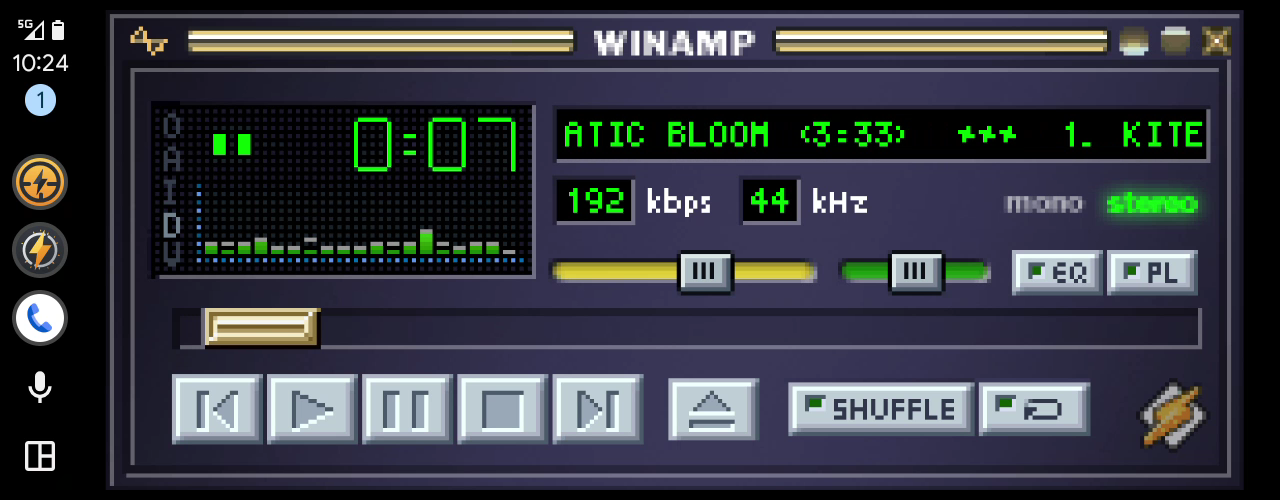
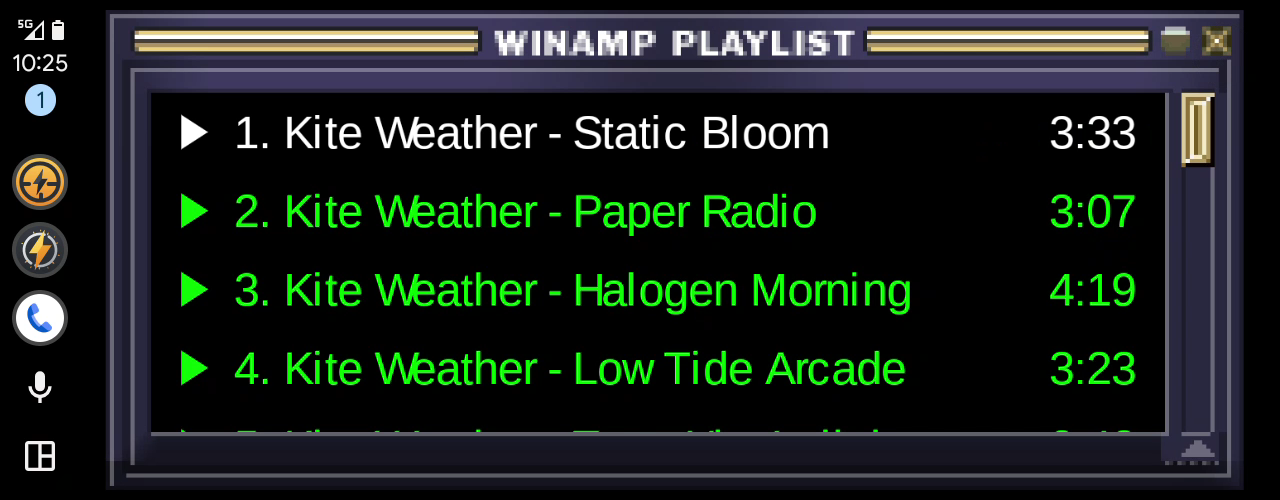
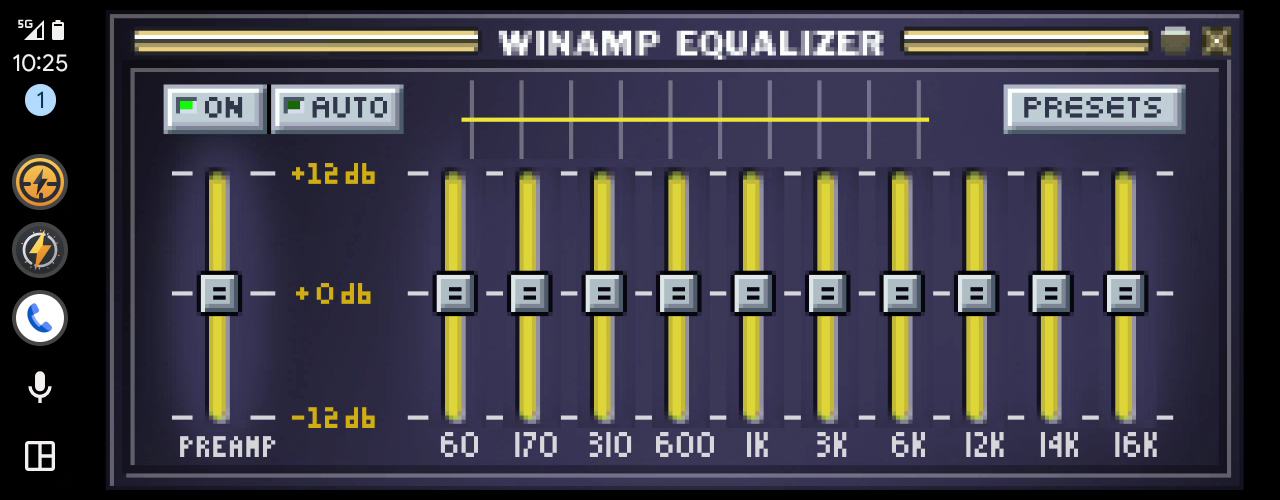
Andamp works with Android Auto in two ways. On its own, it’s a media app: the car’s player shows what’s playing, and you pick a song from the playlist there. With Autoamp, a small second app, the car’s screen shows Andamp itself: the main window in your skin, the equalizer and the playlist, which you tap and drag as on your phone.
What you need
- Andamp 0.16.0 or newer, from Google Play or from GitHub.
- Autoamp, below.
- A car or head unit with Android Auto.
Download
andamp-android-auto-companion-0.15.0.apkversion 0.15.02 MB
Download Autoamp 0.15.0It comes with every Andamp release, also on GitHub.
How to install
- Download the file on your phone.
- Open it. If Android asks, allow your browser to install apps.
- Tap Install.
- Open Andamp › Preferences › Android Auto and read the Status at the top.
Will my car show it?
Android Auto lists an app like Autoamp in a car only when the phone records Google Play as the app that installed it. A file you open from your browser or a file manager is recorded as installed by that app, so a car won’t list it.
The Status on Andamp › Preferences › Android Auto tells you where you stand: Android Auto will show it in the car, or a warning that it won’t. It also tells you when one of the two apps needs an update to work with the other.
In the car
- Open Autoamp from Android Auto’s list of apps. The main window fills the screen.
- Tap the D in the window to switch between the whole screen and the largest sharp size.
- The button beside the window opens the playlist. On the playlist or the equalizer, it’s an X that brings the main window back.
- Android Auto hides that button after a few seconds. The first tap brings it back.
- Choose a skin and the playlist’s font for the car on Andamp › Preferences › Android Auto. They’re separate from the ones on your phone.
Troubleshooting
Andamp › Preferences › Android Auto checks Autoamp for you. A warning there leads to the part below that says what to do.
Android Auto won’t show Autoamp in the car
Android Auto lists Autoamp in a car only when the phone records Google Play as the app that installed it. Autoamp from this page or from GitHub is recorded as installed by your browser or file manager, so a car leaves it out of its list of apps. Andamp itself still plays in the car, in its media player. Questions? Ask on Discord.
Update Autoamp
Autoamp is older than your Andamp, so some things in the car may not work, such as the button beside the window. Download the newest Autoamp and install it over the one you have. Its settings are in Andamp, so nothing is lost.
Update Andamp
Andamp is older than Autoamp, so some of what Autoamp offers does nothing yet. Update Andamp from Google Play, or, if you installed it from GitHub, from its latest release.
Autoamp says to install or update Andamp
Autoamp shows Andamp’s window, so it needs Andamp 0.14.0 or newer on the same phone. Install or update Andamp, then open Autoamp again.
Is this the real one?
The APKs on Andamp’s GitHub releases carry the same signature. Its certificate’s
SHA-256 starts with 3E:CA:A6:97.
Full signature (SHA-256):
3E:CA:A6:97:8A:70:8E:D3:79:94:33:AD:00:0B:21:4A:D7:C3:89:F8:E2:2A:B4:BB:90:8E:67:F8:0C:D7:A4:CE
Source code
Autoamp is part of Andamp’s code, under GPL-3.0, at github.com/mattijsf/andamp.
Andamp is an independent project. It is not made by, affiliated with or endorsed by Google, Winamp, Nullsoft or Llama Group. The pictures show Winamp’s classic base skin. Android Auto and Google Play are trademarks of Google LLC.